

A customer asks a question about a piece of equipment. You have the service manual, the technical data sheet and the parts list. The answer is often already in that documentation, but someone on your team still needs to find it. With a lengthy manual or several product versions, that can mean a lot of searching.
The new knowledge bases in AnswerPal put your own documentation to work when answering these questions. You add documents, and AnswerPal looks up relevant information when a question arrives and uses it to prepare an answer. Your team gets a useful starting point to check and build on.
Your own documentation as the source
A knowledge base brings together documents that AnswerPal can consult when answering questions. These might include service manuals, maintenance procedures, technical data sheets, product catalogues or internal work instructions.
The difference from an ordinary document folder is how the information is used. Your team does not have to work out which file contains the answer first. AnswerPal searches the connected knowledge base and uses the information it finds to prepare a response.
This is particularly useful for recurring questions where the answer depends on a product, model or procedure. A generic reply is not enough: your own documentation contains the details that matter.
A familiar example: Kärcher vacuum cleaners
Consider two Kärcher wet and dry vacuum cleaners: the WD 3 V-19/4/20 (item number 1.628-107.0) and the WD 5 S V-25/5/22 (item number 1.628-350.0). The product catalogue contains specifications and accessory tables, while the manuals explain how to use the machines. This is an illustrative example using publicly available documentation, not a customer case study or a partnership with Kärcher.
One customer might ask how the container capacity and cable length compare. Another might want to know how to store the suction hose on the WD 5 S. The first question needs information from the catalogue; the second needs instructions from the manual. With a knowledge base, AnswerPal can find information relevant to each question and use it to draft a reply.
A member of your team then checks that the right model and version are being discussed. If the customer has only written “my Kärcher”, asking for the model is more useful than answering based on an arbitrary machine. The documentation supports the conversation without your team having to start from a blank reply every time.
Try it with three downloadable documents
You can download these official PDF files to create a small demonstration knowledge base:
- Kärcher Home & Garden catalogue 2026. A 68-page English-language catalogue. The WD 3 model mentioned above appears on pages 10–13 and the WD 5 S on pages 14–17.
- Manual for the WD 3 series. A multilingual manual, March 2025 edition.
- Manual for the WD 5 and WD 6 series. A multilingual manual, March 2026 edition.
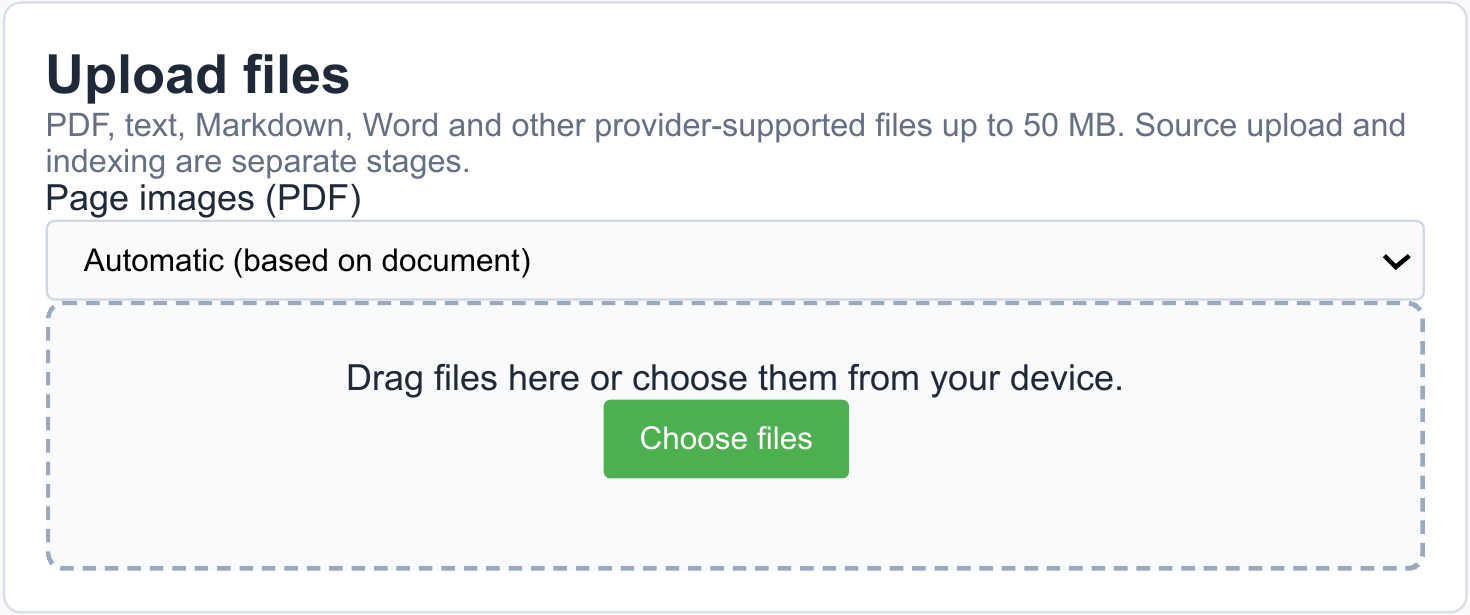
Add the three files to a knowledge base, for example “Product information Kärcher — demo”, and wait until they have been processed and are available. Connect the knowledge base to the application you want to use it for. The manuals cover several versions, so include the full model name or item number in your questions. Versions and included accessories may vary by country.
Then try these questions:
- How do the container capacity and cable length of the WD 3 V-19/4/20 compare with those of the WD 5 S V-25/5/22?
- Which accessory fits the WD 3 V-19/4/20 for vacuuming narrow gaps between car seats?
- How can I store the suction hose on my WD 5 S to save space?
Check the answers against the original PDFs to see whether the right documentation and product version have been used. You can also use the English-language catalogue to test how source information is used to prepare an answer in another language. This example is intended to help you explore the workflow. It is not purchasing advice or a replacement for the manufacturer's safety instructions.
Tables and diagrams in PDFs can help too
Technical documentation contains more than running text. A table links product models to specifications. A diagram shows how parts fit together. In an illustrated manual, an instruction may only make sense alongside its accompanying image.
For PDFs you add to AnswerPal, the knowledge base can also use relevant pages as visual information. When this option is enabled, AnswerPal automatically selects pages related to the information it has found and uses them when preparing the answer.
The customer then receives the answer. The selected PDF pages are not automatically sent as attachments; they help the AI interpret the documentation.
The quality and legibility of the source still matter. A hard-to-read scan or an unclear product reference does not become reliable information simply because it is in a knowledge base.
Keep your documentation up to date
Your administrators can manage knowledge bases and files directly in AnswerPal. They can add, view, download and replace documents. When a procedure or product data sheet changes, update the version in the knowledge base too.
Newly added files are processed before they become available for use. You can follow their processing status in AnswerPal. Uploading a file does not mean it is already ready to be used for answering questions.
Make deliberate choices about the content as well. Use current versions, include recognisable product names and only add information intended for the application concerned. The person responsible for your documentation still has an important role: a knowledge base makes information usable, but does not decide which company procedures are still valid.
Start with a clearly defined use case
You do not need to gather all your documents at once. A practical starting point is one product group or one type of customer question for which your team regularly consults manuals.
- Choose a familiar type of question, such as enquiries about accessories or product specifications.
- Gather the current documents needed to answer those questions.
- Add them to a knowledge base and configure AnswerPal to use that knowledge for the relevant questions.
- Test with real, representative questions and check the answers before rolling the application out more widely.
Include incomplete questions and exceptions in your tests. This will show you not only which answers are useful, but also when more information or a team member's judgement is needed. Whether answers are reviewed first or sent automatically depends on the workflow you have configured.
What your team gains
A knowledge base helps your team apply the information your organisation already has in customer conversations. Experienced colleagues get support with finding the right information. New team members get a starting point in documentation they do not yet know in detail.
The aim is not to replace expertise. It is to help your team spend less time looking up and retyping information, leaving more time for the customer's question and situation.
Would you like to see how this works with your own service manuals or product documentation? Contact the AnswerPal team. Together, we can choose a clearly defined use case and identify the documents it needs.
