

A customer calls to explain a situation, but the next step is better handled by SMS or email. A short confirmation, an address or a set of instructions does not need another phone call. What matters is that your colleagues can later see what the customer asked and how it was followed up.
With linked tickets in AnswerPal, you start that follow-up from the existing conversation. The new SMS or email conversation gets its own ticket, with a direct link to the original enquiry. Your team can choose the right channel while keeping the connection between conversations clear.
Confirm an agreement from a phone call in writing
Consider a transport planner speaking to a driver. The planned loading bay is unavailable, so they agree during the call that the driver should go to loading bay 3. The planner also wants to send the arrangement in writing so the driver can check it on arrival.
From the phone ticket, the planner chooses Follow up via… > SMS. The phone number is already filled in where possible. They check the recipient and write, for example:
As agreed by phone, please report to loading bay 3 for delivery 4821. Follow the signs to goods in when you arrive.
After sending, AnswerPal opens the new SMS ticket and assigns it to the team member who sent the message. They can follow the subsequent exchange there. The link also keeps the original phone conversation within reach.
If a colleague takes over the planning, they can find both the arrangement and the explanation given over the phone. The driver is less likely to need to explain everything again.
A quick confirmation by SMS, further details by email
A different channel can also be the natural next step for a service desk. A customer describes a technical problem over the phone. Your colleague discusses the initial checks, then emails further instructions, perhaps with an attachment.
Starting that email from the phone ticket keeps both points of contact connected. A colleague who later replies to the email can return to the original enquiry and check what has already been discussed.
The same approach helps a receptionist confirm an address or practical arrangement by SMS after a phone call. You choose the channel that best helps the customer at that moment.
How to start a linked follow-up conversation
- Open the existing ticket. For example, start from the phone enquiry you have just handled.
- Choose Follow up via… The menu offers SMS and/or Email, depending on the active channels in your environment and the channel of the original ticket.
- Check the recipient. AnswerPal fills in known contact details where possible. You can add or change the phone number or email address.
- Write and send your message. Use the familiar screen for a new SMS or email. The reference to the original ticket remains visible.
- Continue the conversation. The new ticket contains the written exchange and a link back to the original enquiry.
If an open SMS conversation already exists for the selected number, AnswerPal points you to that ticket. You can check what follow-up is already under way and continue the conversation there.
Your colleague can immediately see which conversations belong together
Under Linked tickets, you can see the connected follow-up conversations. The cards show details including the channel, the contact, the latest message and whether the conversation is open or closed. New messages and status changes are automatically reflected in this overview.
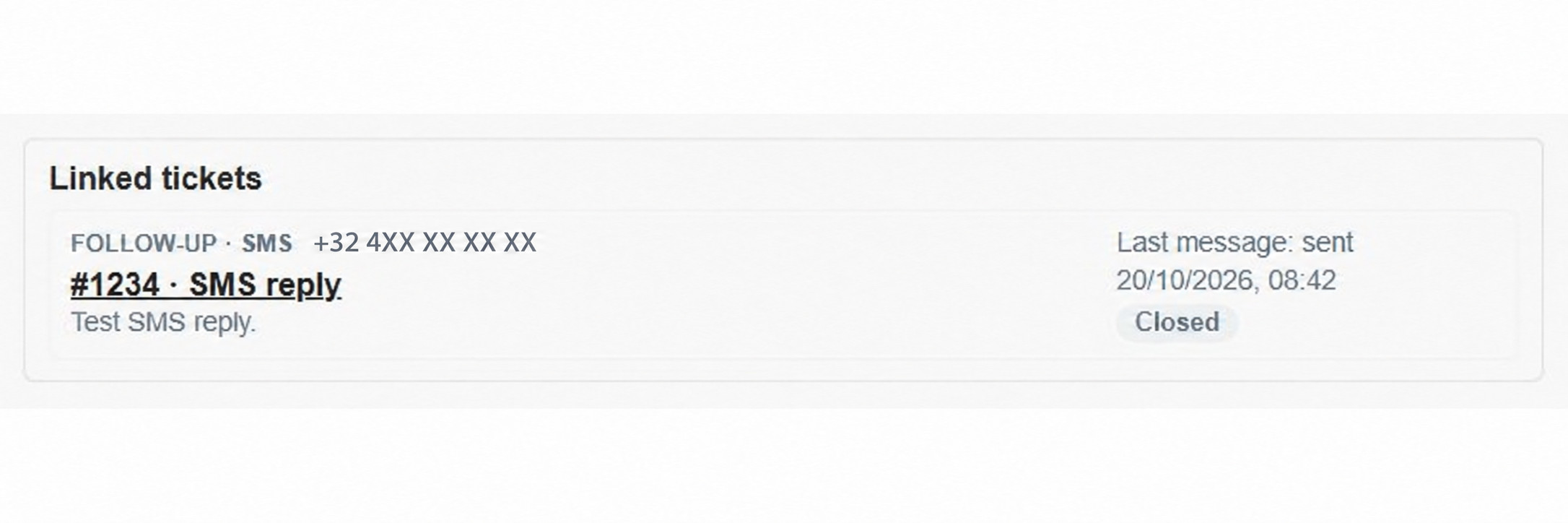
This makes handovers easier: a colleague can see that an SMS was sent after the phone call, read the subsequent exchange and refer back to the original explanation. Even when there are several follow-up conversations, it remains clear which enquiry each one belongs to.
Each ticket keeps its own messages and status. A completed phone conversation can therefore remain closed while the follow-up by SMS or email continues.
Keep the next step connected to the original enquiry
Linked tickets help your team build on what has already been discussed. A brief arrangement by SMS, detailed instructions by email and the original phone enquiry remain easy to find.
Would you like to see how this could work for your planning team, reception or service desk? Contact the AnswerPal team. You can read more about the SMS channel in Handle customer requests by SMS from within AnswerPal.
