

Get an urgent request to the right colleague in time. Reply to a ticket while you are out of the office. Help a customer by SMS. This product update introduces new ways to handle day-to-day customer enquiries, with more control over your messages and AI settings.
Automatic alerts for situations that need attention
A customer reports an urgent fault. The person responsible is not working in AnswerPal all day, but still needs to follow up. You can set up a targeted SMS or email notification to bring the request to their attention.
You decide which topic or supported event triggers the alert, such as a conversation being escalated to a member of staff. Then choose the sending channel, recipient and message text. You can include information from the ticket and its linked contacts in the message.
This helps your team notice important situations without continually checking the ticket list. The alert supports your own follow-up arrangements: you decide who is responsible and how they should respond.
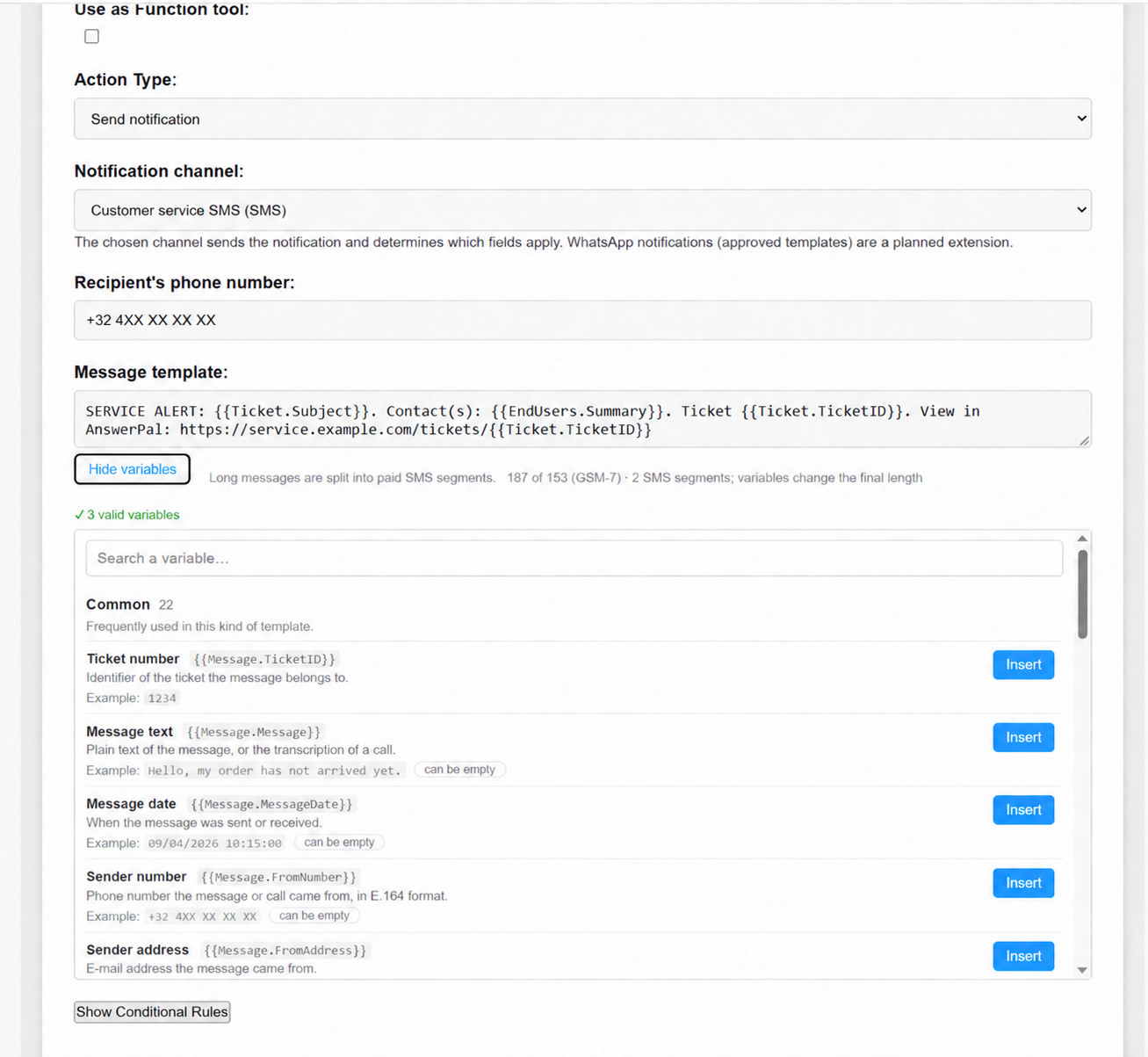
Find out how to alert the right colleague automatically.
AnswerPal on your smartphone and tablet
Not everyone handles customer enquiries from a desk all day. The ticket overview now adapts better to smaller screens. On a smartphone, tickets appear as cards with the key information grouped together.
You can read and reply to conversations in the same AnswerPal environment you use at the office. Add the web app to your home screen for quicker access. This is not a separate native app; an internet connection is still required to load and work on tickets.
See how to follow up on customer requests while you are out.
Receive and reply to SMS messages in one workspace
A short delivery question or an appointment confirmation is often well suited to SMS. With an active SMS channel, incoming messages arrive in AnswerPal and can be answered there. Depending on your settings, your team can reply manually or use AI assistance.
There is no need to handle SMS conversations separately from your other customer enquiries. A new outbound message is sent as soon as you create it. The date field in the form does not schedule it for later.
There is an important distinction from the alerts above: the SMS channel is for conversations with customers, while a notification informs a designated recipient about a situation that needs attention.
Read when SMS is a useful customer service channel.
More choice for AI and text translation
GPT-6.1 Sol has been added to the available text models, with several reasoning levels. You can select it wherever AnswerPal lets you choose a text model. Your existing explicit selections are retained; adding the model does not automatically switch your entire environment to it.
You can now choose the text model used to translate messages through Default Text Translation Model in the general settings. AnswerPal uses your selected model instead of a fixed, predefined one.

Small improvements that help every day
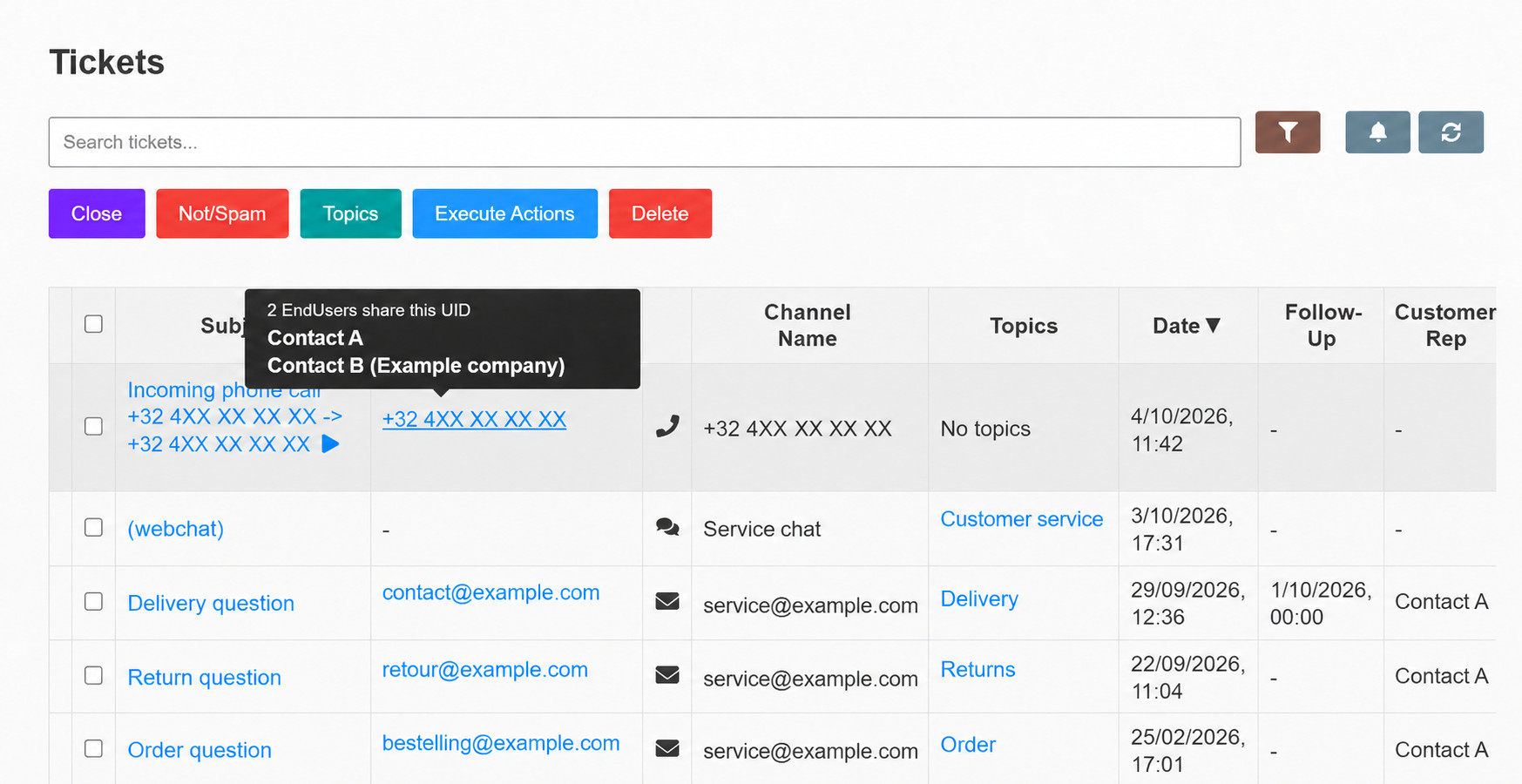
See linked contact names more quickly. Hover over a phone number or contact reference in the ticket list. A name preview shows the linked contacts without opening the details first. When a number is shared, multiple possible contacts remain visible; the preview does not simply identify one of them as the caller.
- Password resets on the right domain. The link in the password reset email opens on the validated domain of your own AnswerPal environment.
- Reuse a username. After deleting a staff account, you can create a new account with the same username. The history and earlier tickets remain linked to the original account.
- Spot spam in the overview. When you display spam tickets, an icon makes them recognisable in the ticket list.
- More reliable handling of audio attachments. Filenames containing accented characters are now handled more reliably too.
Get help from within AnswerPal
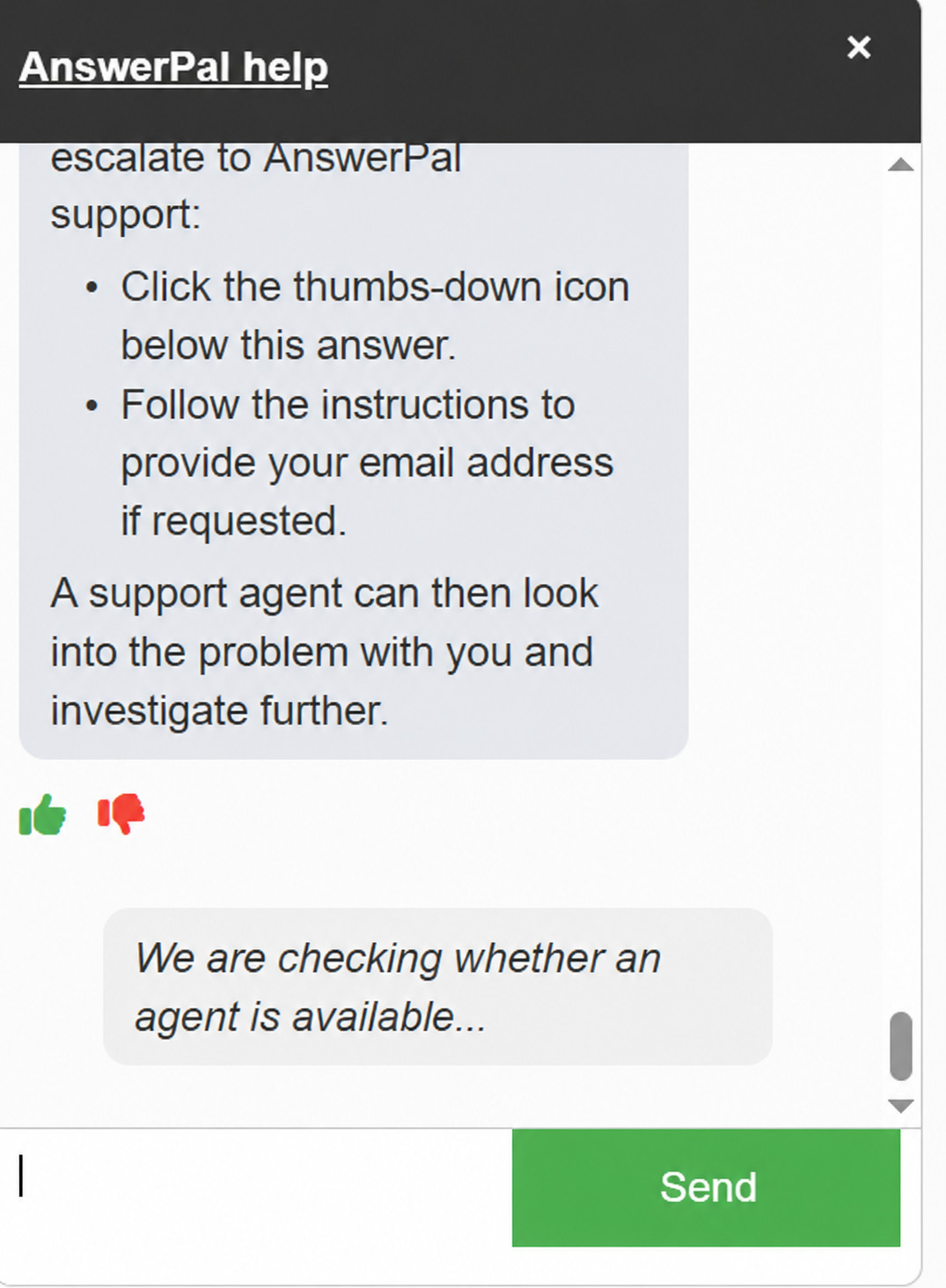
Not sure how a setting works? You can ask for help from your workspace. If the answer does not resolve your question, use the help chat to request assistance from a member of staff. The chat then checks whether someone is available. This requests a handover; it does not guarantee an immediate reply from a person.
What would help your team?
Would you like to explore how mobile working, an SMS channel or automatic alerts could support your daily customer follow-up? Contact the AnswerPal team. We can help you choose and check a setup that fits your needs.
