

Answer customer questions using your own documentation, reply automatically in a chosen language and manage WhatsApp conversations alongside email and chat. This product update introduces AnswerPal’s new capabilities and explains how they can help your team day to day.
New knowledge bases for your own documents
The answer to a customer’s question is often already somewhere in your documentation. Someone just needs to find the right manual, table or passage. With the new knowledge bases, you can use those documents directly when answering questions.
Add workshop manuals, procedures, technical data sheets or product catalogues to AnswerPal. When a question arrives, AnswerPal searches the linked knowledge base for relevant information and uses it to prepare an answer. Your existing documentation becomes a practical resource for everyday customer communication.
For PDF files, AnswerPal can automatically select relevant pages and use their visual content too. This is useful when information appears in a table, diagram or illustrated manual. The customer receives a clear answer, while the selected pages provide supporting information for the AI.
Your administrators can add documents in AnswerPal and replace them when a new version becomes available.
Discover how to turn a manual into a customer answer.
Reply automatically in a chosen language
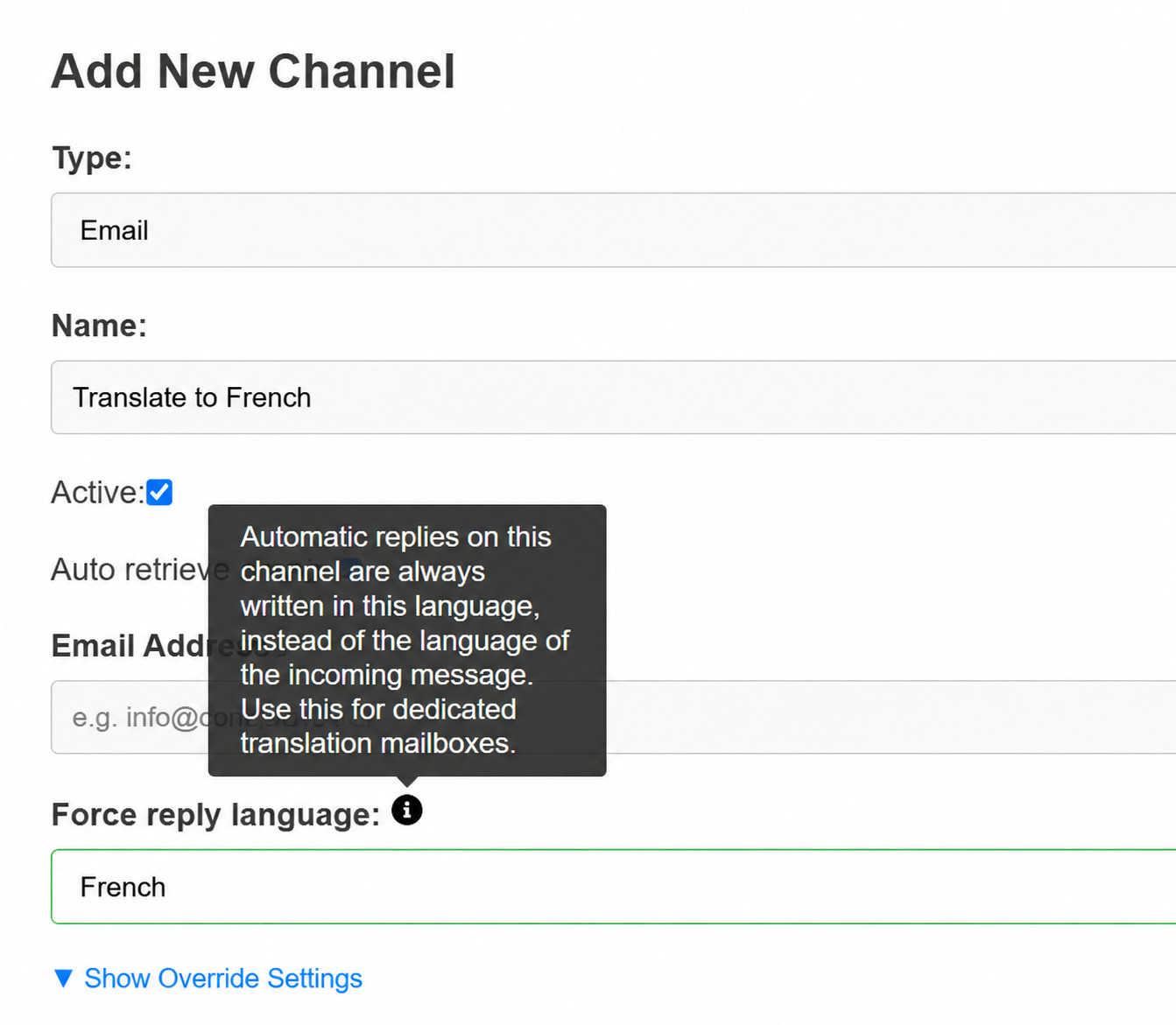
Do you work with customers or colleagues who speak another language? You can now set a fixed reply language for an email channel. AnswerPal will then write automatic replies in that language, regardless of the language of the incoming message.
For example, you could set up a translation mailbox: send a Dutch dictation or document to that mailbox and receive the result in French. With suitable translation instructions and a fixed reply language, you do not have to explain what to do each time you send a message.
Language detection has also been improved. If you have not set a fixed reply language, AnswerPal continues to reply automatically in the language of the incoming message.
Manage WhatsApp conversations in the same ticket overview
A customer sends a question via WhatsApp while your team handles other conversations by email or chat. These messages no longer need to stay in separate systems: WhatsApp messages become tickets in AnswerPal, together with their photos, voice messages and documents.
AnswerPal can prepare answers or send them automatically using your configured knowledge and workflow. A team member can take over the conversation when needed and see the available sent, delivered and read statuses.
Need to follow up later? Approved message templates are available for follow-up outside WhatsApp’s usual response window. WhatsApp is activated for your organisation on request.
Find the right conversations faster
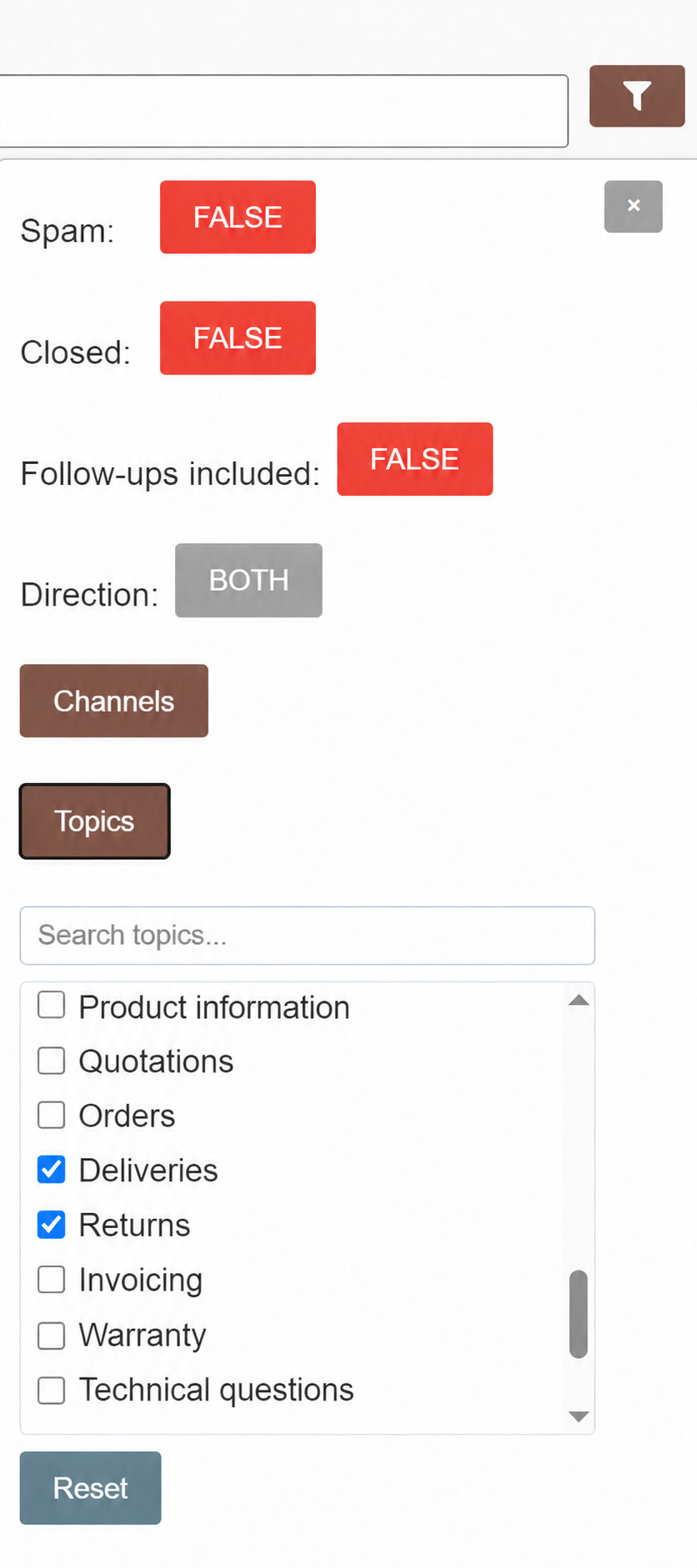
Does a team member only handle enquiries about deliveries and returns, for example? They can filter the ticket list by those topics to see only the tickets relevant to their work, without having to go through the full list each time.
You can select one or more topics at a time. The filter also includes topics recognised in a later message within the ticket.
We have also improved the handling of forwarded Outlook messages and email attachments, helping AnswerPal process the information your customers send more reliably.
What could work for your organisation?
Would you like to use your manuals to answer customer questions, set up a translation mailbox or add WhatsApp to your customer service? Contact the AnswerPal team. Together, we can explore which approach suits your documents and the way you work.
